If you run a small food pantry, you already know the feeling. Intake forms in a binder. Inventory on a clipboard that never quite matches the shelf. Sign-in sheets you have to count by hand at the end of the night.
Sooner or later, someone on your board asks the question: should we get software? For most small hunger-relief organizations, the honest answer is yes, eventually. But the harder question is where to begin without wasting money, time, or the goodwill of your volunteers.
This guide is for the coordinator who is just starting to look around. No jargon, no feature dumps. Just the first three questions to answer, the features that actually matter to a small team, and a low-risk way to try a tool before you commit.
The first three questions to answer before you buy anything
Before you compare a single product, answer these for yourself. Write the answers down. They will make every later decision faster and calmer.
1. What do you actually need to track?
Most pantries need four things: who came in, what they received, what is left on the shelf, and what the month added up to. If your current process already does three of those well, you are not shopping for a full system. You are shopping for the one piece that hurts most.
Start with the pain that eats the most volunteer hours. For many teams that is client check-in. For others it is inventory, because you cannot order what you cannot count.
2. Who will use it, and how much training can you give?
Your software will be used by volunteers who show up for two hours a week. If it takes a course to learn, it will not get used. Look for a tool a first-time volunteer can pick up in one shift, with plain labels instead of database language.
A good test: could a new volunteer check in a family after five minutes of explanation? If not, keep looking.
3. Where does your data live, and who can see it?
You are handling information about real people in hard moments. That deserves care. Ask any vendor three simple questions: Where is our data stored? Who can access it? And what happens to it if we leave?
If the answer is vague, treat that as a no. Privacy is not a feature you add later, and your families trust you to protect it.
Features that matter most when your team is small and volunteer-run
Big organizations can absorb complexity. You cannot. Here is what earns its place in a small pantry.
Fast, dignified client check-in
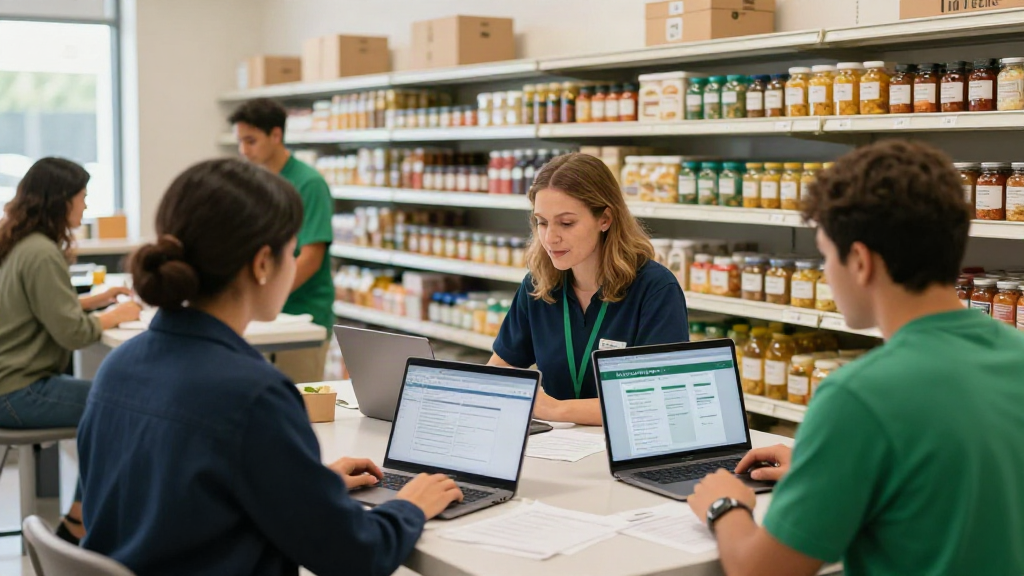
Check-in is the first thing a neighbor experiences. A slow line at the door can feel like a barrier. Look for a simple check-in screen that a volunteer can run at a tablet or laptop, so families move through quickly and quietly.
Inventory that stays accurate in real time
Paper counts drift. Screens stay current. When your intake and your inventory talk to each other, the shelf count updates as you serve, and you stop guessing before a shopping day.
Reporting on outcomes without a spreadsheet marathon
Funders and boards want numbers: households served, meals provided, trends over time. A tool that produces those reports on its own gives you back the hours you used to spend building them by hand.
Communication families will actually see
Text alerts for pickup windows, delays, or pantry-day updates reach people where they are. It reduces no-shows and phone tag, and it respects a family's time.
Human support from real people
When something breaks on a busy Saturday, an email ticket is not enough. Ask whether support comes from real humans who understand pantries, and how fast they respond.
How to trial a tool with one pantry day before you commit
You do not need a six-month rollout. Pick one pantry day and run a single part of your operation on the new tool, side by side with your old process.
Choose the piece you care most about, whether that is check-in or inventory. Brief two volunteers, not ten. Watch the day, then ask the volunteers two questions: Was it easier? Where did you get stuck?
If the answer is a clear yes, extend it to the next pantry day and add one more function. If volunteers hesitate, ask the vendor to help before you decide. A tool worth keeping should feel lighter by the end of the shift, not heavier.
A note on price and risk
You are a nonprofit on a real budget, so the middle of the market is often the sweet spot: enough capability to solve your problem, without enterprise overhead you will never use. Ask about monthly billing, setup fees, and whether you can export your own data at any time.
That last point matters. You should own your records, not rent them. Any vendor who makes it hard to leave is telling you something about how they will treat you when you stay.
The decision is about people, not software
Choosing food pantry software for small nonprofits is not really a technology decision. It is a decision about how much of your team's time goes to serving neighbors instead of paperwork.
Answer the three questions. Insist on features your volunteers can use. Trial it on one real pantry day. Do that, and you will choose well, with your dignity and your neighbors' intact.
Your pantry should not run on paperwork. It should run on people, with a little help behind the scenes.